Close and reports
Share your books with investors
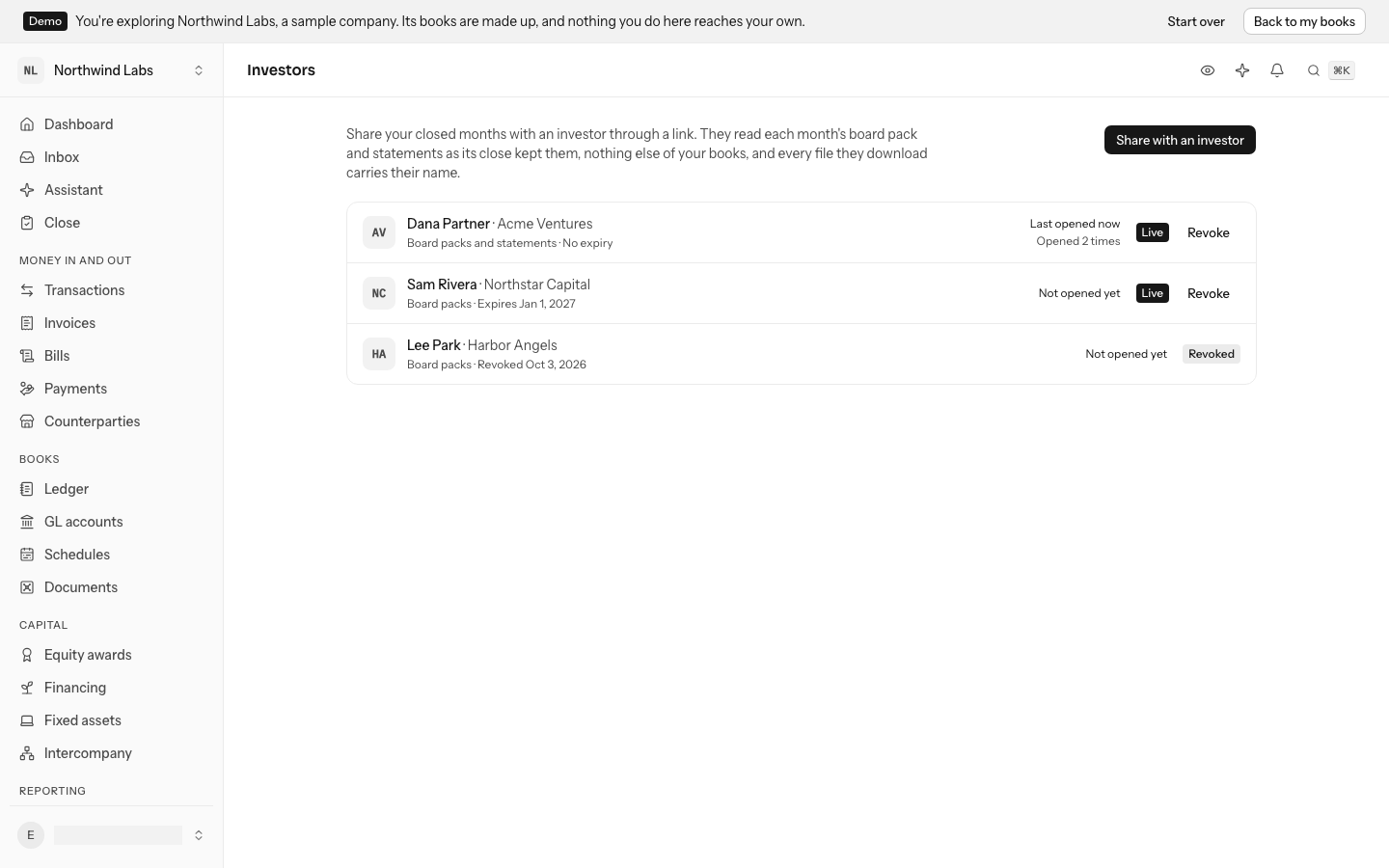
Give each investor a read-only link to your closed months, board packs and statements watermarked with their name, and see when they last opened it.
Investors ask for the numbers every month. Instead of exporting a deck and emailing it, give each investor a link. It opens a read-only page of your closed months: each month's board pack, with its figures and your commentary, and its balance sheet, income statement and cash flow statement. Every figure is the one the month's close kept, so what an investor reads in December for August is what you closed in September.
A link never shows anything else of your books: no transactions, no payroll, no identifiers, and no month that is still open. Owners and admins make and revoke links.
Share with an investor
- Open Board packs from Reports and select Share with investors, or go straight to Investors.
- Select Share with an investor.
- Type the investor's name. Their firm or fund and their email are optional; the email is for your records, and LedgerIt sends nothing to it.
- Under What the link shows, keep Board packs, Statements or both.
- Choose when the link Expires: never, or in 30 days, 90 days or a year.
- Select Create link, then Copy link, and send it to the investor yourself.
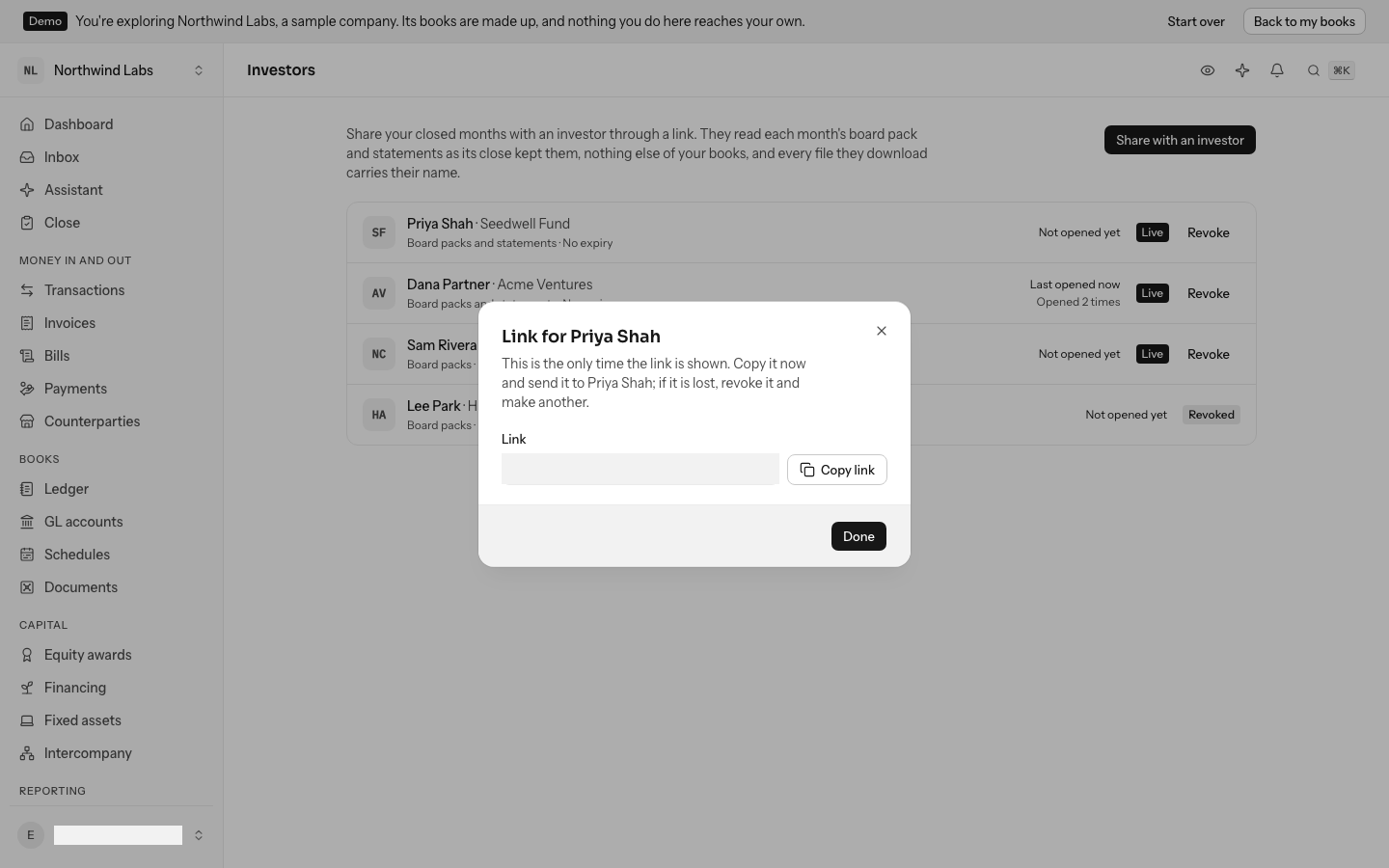
The link is shown once. LedgerIt keeps only a fingerprint of it, so nobody, us included, can show it to you again. If it is lost, revoke it and make another.
Make one link per investor. Each one says when it was last opened and how many times, so you know who read the month, and you can revoke one without touching the others.
What the investor sees
The link opens a page with your company's logo and name, who it was shared with, and the newest closed month. The month picker opens any other closed month. No account is needed.
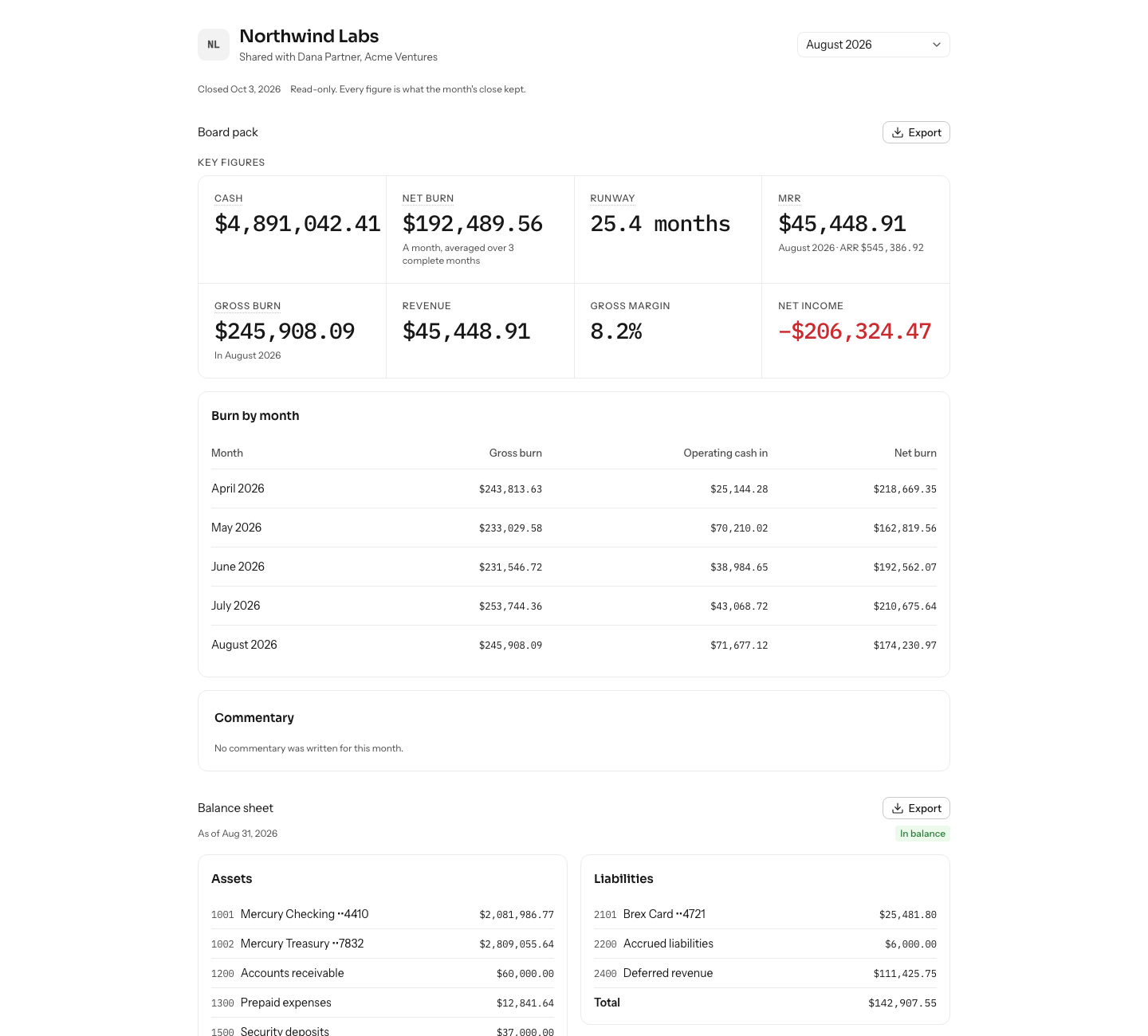
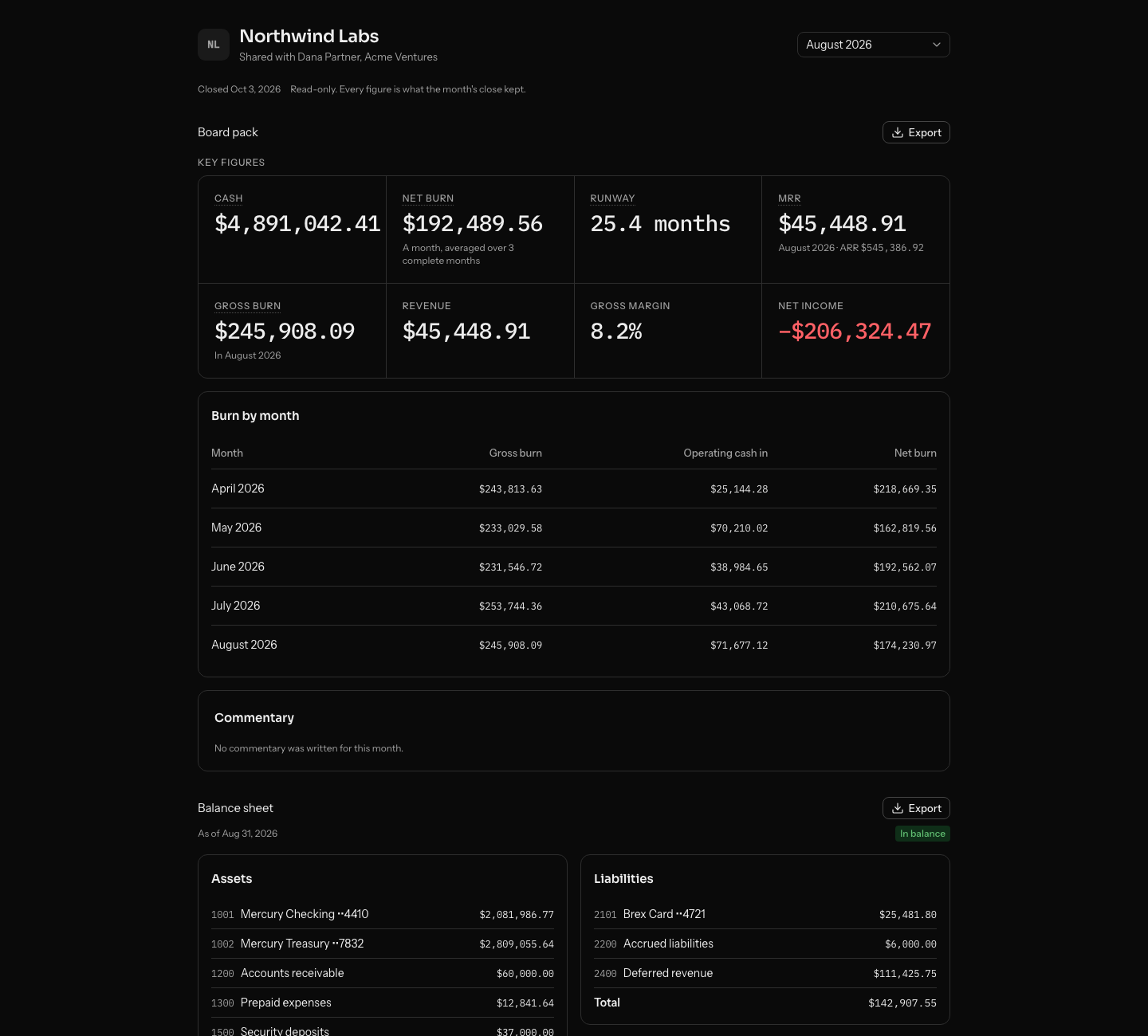
Export beside the board pack gives it as a PDF, with its figures, your commentary and the statements, or its figures as a CSV. Each statement has its own Export too. Every page of every PDF carries a watermark across it and in its footer, and every CSV starts with a line, saying who the file was shared with, by which company and on which day. A copy forwarded on still says where it came from.
When you reopen a month, it leaves the investor's page until you close it again. When an investor's link expires or you revoke it, the page says so and shows nothing of your books.
Revoke a link
On Investors, select Revoke beside the link and confirm. The link stops working at once. A revoked link stays in the list, with when it was revoked, as the record of who was shown what.
From the API
Links are the investor_shares resource of the API: list them, make one (the answer carries its token and address, once), read one, and revoke one with a delete.
Do this through the API
Everything in this guide is also an API call, for scripts and agents. The reference lists each operation with its parameters and objects.