Bookkeeping
Record SAFEs, convertible notes and venture debt
Book SAFEs, convertible notes and venture debt, let interest accrue at every close, record payments, and convert a SAFE or note at a priced round.
A SAFE is money an investor gave you for shares you will issue at a later priced round. Until that round it is not equity yet. LedgerIt carries it as a liability in SAFE notes, unless your accountant signs off on treating it as equity. When the round closes, LedgerIt works out the shares it buys and moves all of it into equity.
- InThe bank account it came into
- In2600SAFE notes
- Out2600SAFE notes
- In3200Preferred stock
- In3300Paid-in capital
Also
A convertible note and venture debt are loans. They are carried as liabilities, in Convertible notes and Venture debt, and they bear interest, which LedgerIt accrues at every month-end close. Venture debt is paid back. A note is paid back or converts at your priced round, its interest with it.
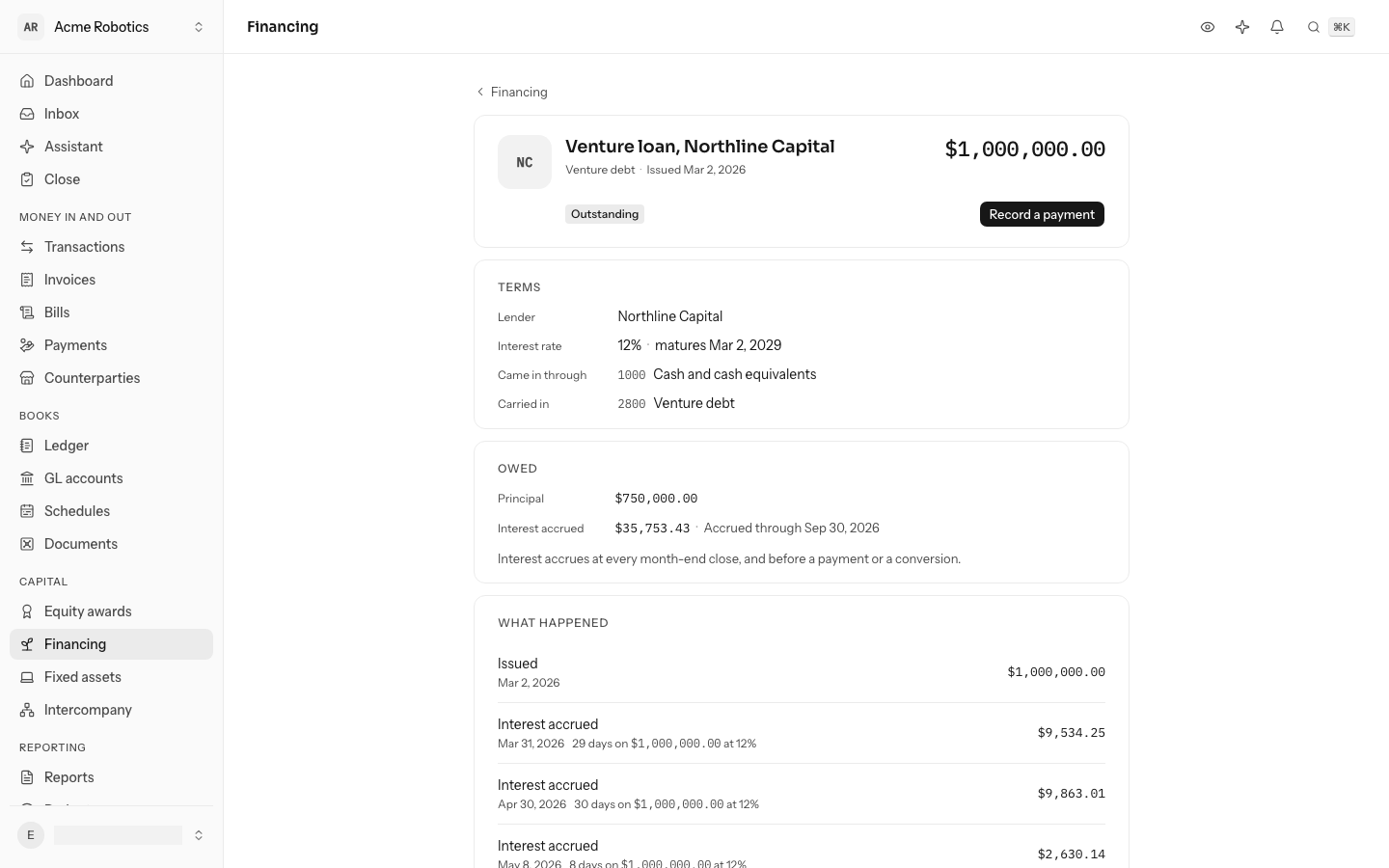
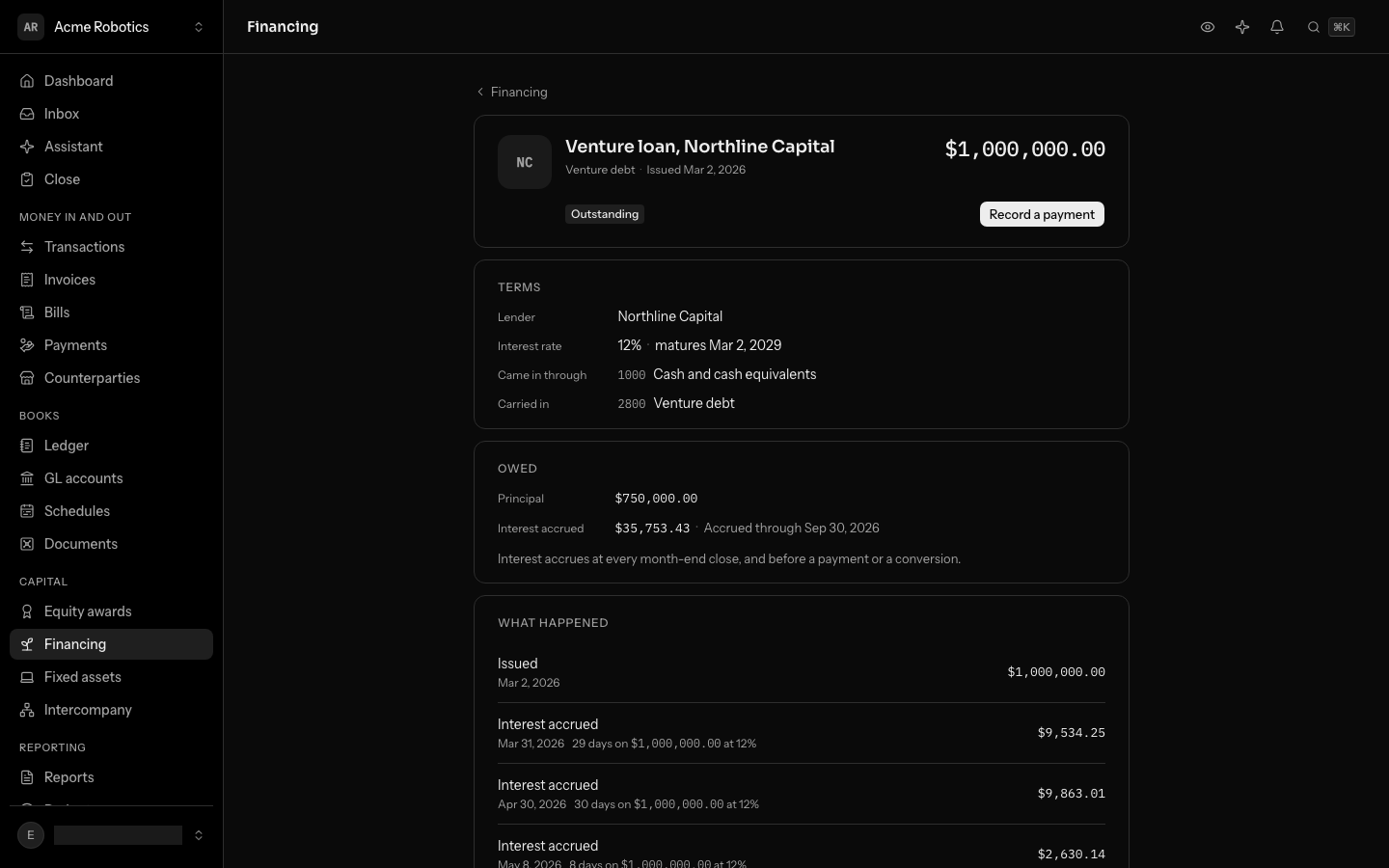
Find your way around
Financing is on the left rail, under Capital; from the keyboard, press G then F. It lists your SAFEs, notes and venture debt, newest first, each with its investor or lender, its cap and discount or its interest rate, where it stands and the amount paid. The buttons above the list narrow it to Drafts, Outstanding, Converted, Repaid or Void.
- New instrument opens the form: the Kind, the Investor (the Lender, for venture debt), a Name, the Purchase amount or Principal, the day the Money arrived and the account it Came in through. A SAFE or a note takes an optional Valuation cap and Discount, %; a SAFE says how it is Classified; a note or venture debt takes its Interest rate, % and the day it Matures. Save draft opens its own page.
- On a draft's page, Issue puts it in your books. Its name, amount, date, cap, discount, interest rate, maturity and classification change where they are shown: click one, type or pick the new value and press Enter, or Escape to keep the old one. Change kind, investor or account and Delete draft are in the ⋯ menu.
- On an outstanding SAFE's or note's page, Convert opens the round's terms and shows what it converts into before anything is written. On a note's or venture debt's page, Record a payment takes a payment. Void, in the ⋯ menu, reverses one that nothing has happened to since it was issued.
- The page lists the Terms, what a note or venture debt still Owes, What happened to it (each step opens its journal entry) and its history.
The sections below say what each step does to your books.
Record a SAFE
- Write its terms. The investor, the amount they paid (the purchase amount), the day the money arrived and the bank account it came into. Add the valuation cap and the discount if it has them, and say whether it is a post-money or a pre-money SAFE. It starts as a draft: nothing is in your books yet, and you can change anything on it.
- Choose how it is classified. A SAFE is a liability by default, carried in SAFE notes at the amount paid. If your accountant agrees it is equity, classify it as equity. It then waits in SAFEs classified as equity instead. Either way it stays apart from your stock until it converts.
- Issue it. It goes into your books as one entry: the bank account against the SAFE's account, for the amount paid. It is now outstanding.
Once a SAFE is issued its terms are fixed. Only its memo can change: click it under Terms. A SAFE recorded by mistake is voided. LedgerIt reverses its entry, and the SAFE stays listed. A draft is simply deleted.
Its deposit in the bank
The bank reports the investor's wire as a transaction of its own. When it is the SAFE's amount, arrives within a week of the issue date and lands on the account you recorded the SAFE against, LedgerIt links it to the SAFE: the deposit is kept out of the books as the SAFE's evidence, so the cash counts once and never as revenue. A deposit already waiting is linked the moment you issue the SAFE, and one AI had already posted, say as revenue, is reversed and linked, unless its month is closed, a schedule or asset holds it, it pays an invoice or bill, or a statement reconciles it. The message after issuing says which transactions it linked and reversed. Anything else is linked from the transaction's GL account picker, under Owner and financing (Transactions), which can also issue a draft from its deposit. Voiding the SAFE sends its deposit back to review.
Record a convertible note or venture debt
Choose Convertible note or Venture debt as the kind, and give the principal, the yearly Interest rate, % and, if its terms set one, the day it Matures. A note can also have a valuation cap and a discount, which it converts at as a SAFE does. Venture debt has neither: it never converts.
Issuing it puts it in your books as one entry, the bank account against Convertible notes or Venture debt, for the principal. Both are always liabilities.
How interest accrues
Interest is simple, on the principal still owed, counted in days over a 365-day year. A $1,000,000 loan at 12% drawn on March 2 accrues 29 days by March 31: $9,534.25.
You do not record interest yourself. Every month-end close accrues each outstanding note and loan through the last day of the month, before it locks the month, as one entry: Interest expense against Accrued interest. A payment or a conversion accrues through its own day first. The page shows the interest accrued so far and the day it runs through, and What happened lists each accrual with its days, principal and rate.
Record a payment
On a note's or venture debt's page, select Record a payment. Choose the day it was Paid on and the account it was Paid from, then split it between Principal and Interest. Pay off in full fills in what settles it that day, interest through the day included.
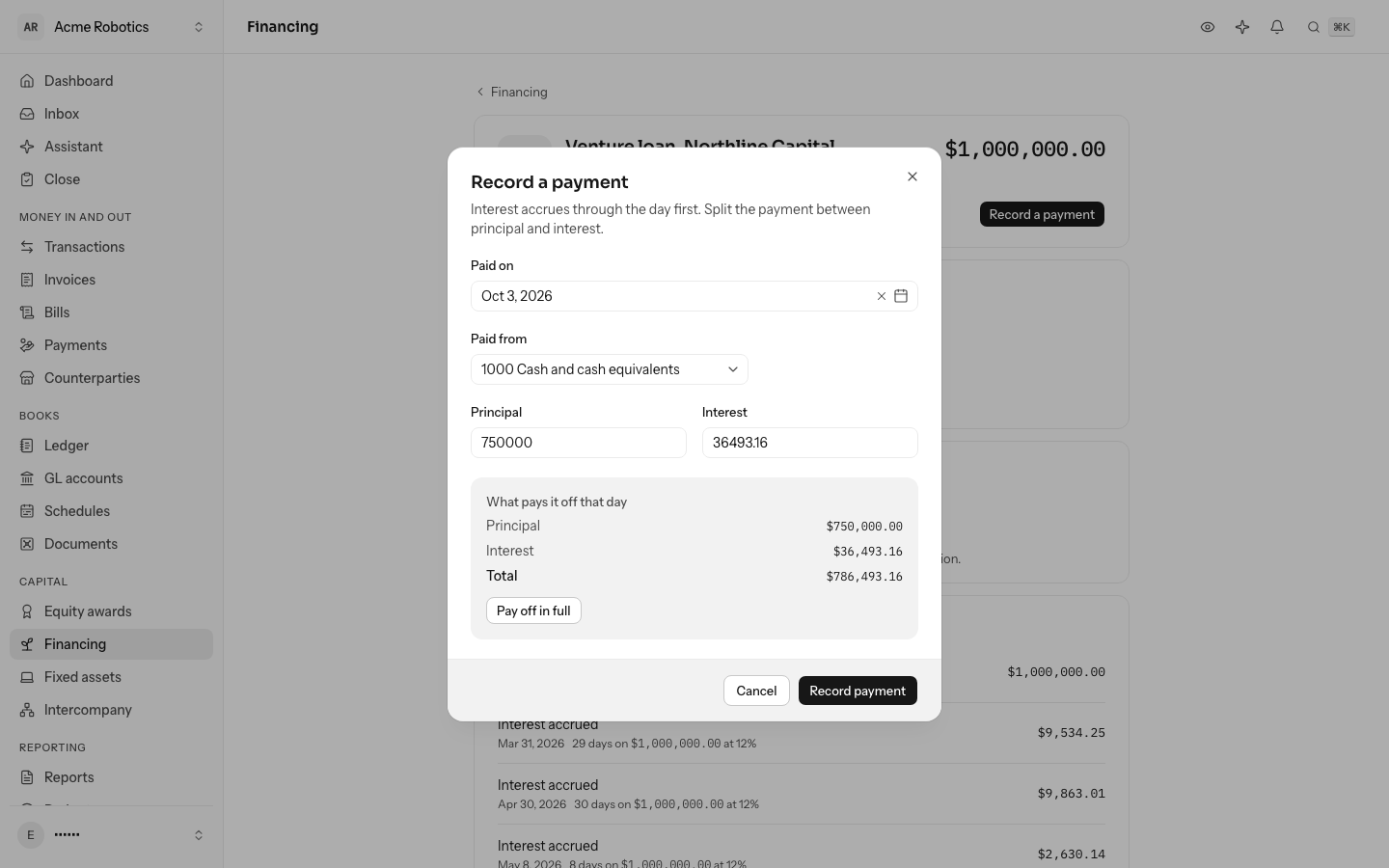
The payment is one entry: the principal comes off Venture debt or Convertible notes, the interest off Accrued interest, against the bank account. Once nothing is owed, it is repaid. LedgerIt refuses a payment of more principal than is owed or more interest than has accrued, and a payment dated before a day interest already ran through.
See what it converts into
At a priced round, the SAFE buys shares at the lowest price its terms give it:
- The round's price per share.
- The discount price: the round's price less the discount, if the SAFE has one. A 20% discount on a $2.00 share is $1.60.
- The cap price: the valuation cap divided by the company capitalization, if the SAFE has a cap. For a post-money SAFE that is the post-money capitalization, and for a pre-money SAFE the pre-money one, as your round's cap table states it. A $10,000,000 cap over 6,000,000 shares is $1.67.
The shares are the purchase amount divided by that price, rounded down to a whole share. A $500,000 SAFE at $1.60 buys 312,500 shares. A note converts its principal and the interest it has accrued by the day the round closes, so the preview for a note works out its interest to the day you choose.
Ask for a conversion preview with the round's price per share, the capitalization and the par value of the preferred stock. It shows each price, which one applies, the shares, and how the amount splits between par and paid-in capital. It changes nothing. If your cap table settled on a slightly different number of shares, give that number and LedgerIt uses it.
- Purchase amount
- $500,000.00
- Valuation cap
- $10,000,000.00
- Discount
- 20%
- Round price
- $2.0000
- Cap price
- $1.6667
- Discount priceApplies, the lowest
- $1.6000
- Shares
- 312,500
What Convert will post
| Account | Debit | Credit |
|---|---|---|
| 2600SAFE notesHalcyon Ventures | $500,000.00 | |
| 3200Preferred stockThe shares at par | $3.13 | |
| 3300Additional paid-in capitalThe rest | $499,996.87 | |
| Balances | $500,000.00 | $500,000.00 |
It converts at the discount price, $1.6000: 312,500 shares. All $500,000.00 leaves SAFE notes, so nothing of the SAFE is left behind.
Convert it
Converting puts the round in your books as one entry, the one the figure above draws. The whole amount leaves the SAFE's account. The shares at par go to Preferred stock, and the rest to Additional paid-in capital: for the SAFE above, with a par value of $0.00001, $3.13 and $499,996.87. The SAFE is now converted and can no longer be voided.
A note converts the same way, with one more line: its accrued interest leaves Accrued interest and buys shares too.
LedgerIt refuses a conversion that would leave any of the SAFE or note behind in its account, or any of a note's interest, so your liabilities never carry something that has already become stock.
Import SAFEs from Clerky
If you issued your SAFEs with Clerky, connect Clerky and they come over for you. Select Import from Clerky above the list of SAFEs (on a phone, in the ⋯ menu), or open Integrations, select Add connection and choose Clerky under Cap table and financings. Select Connect with Clerky and approve read access at Clerky. If your Clerky login reaches more than one company, approve only this company's team, or give the team the same name as these books. Otherwise LedgerIt cannot tell which team is yours and connects nothing.
Each sync, every 6 hours or when you select the sync icon, brings over the SAFEs Clerky issued that are not here yet:
- Each one arrives as a draft, named for its investor, with the purchase amount, the valuation cap, the discount, MFN and the day it was issued. A post-money cap makes it a post-money SAFE, otherwise a pre-money one.
- The investor is added to your counterparties if they are not there already.
- The money is taken to have come in through your operating cash account. Change it on the draft if it came in elsewhere.
- The draft says Imported from Clerky, with Open in Clerky to see its signed documents.
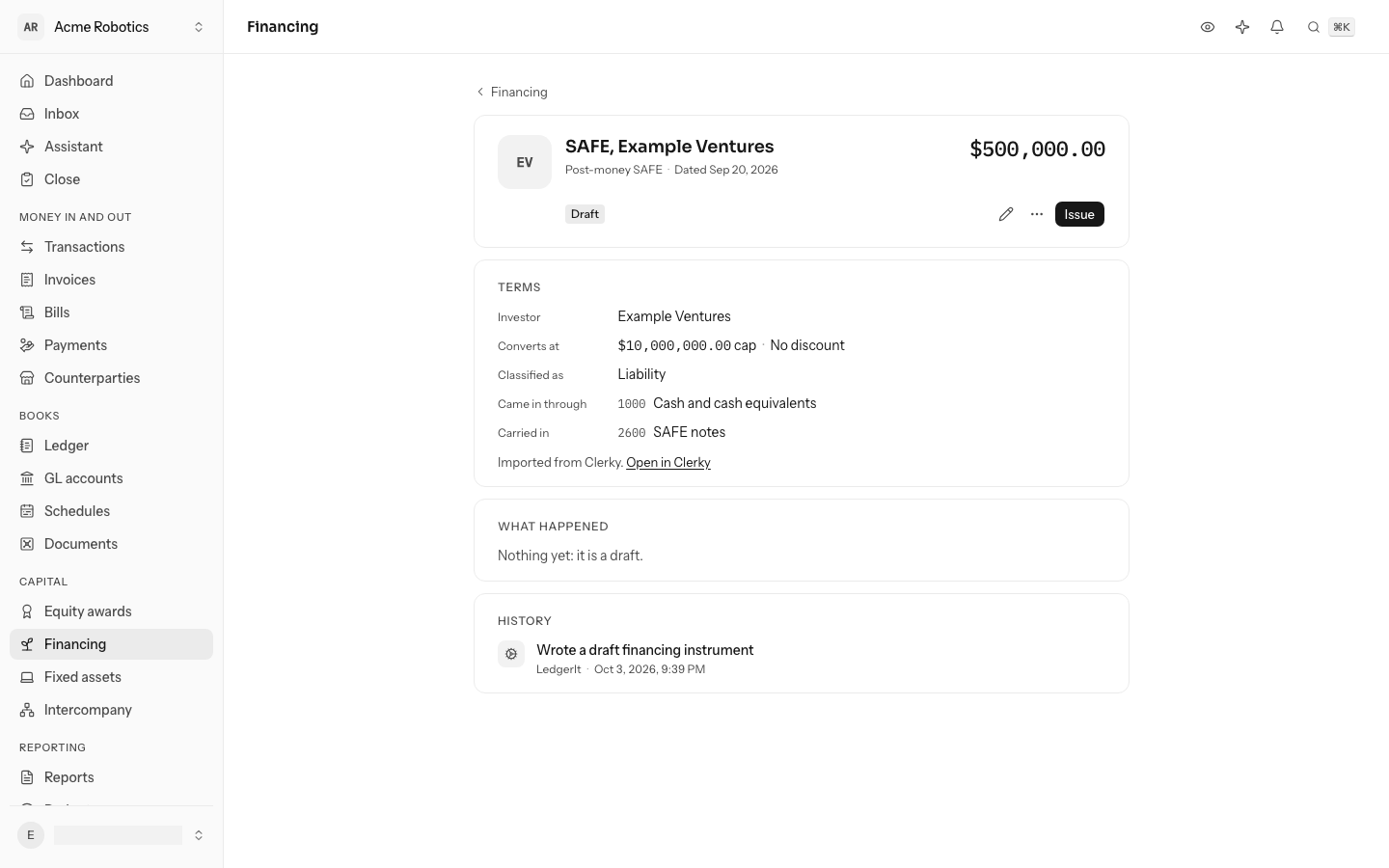
Nothing is in your books until you check a draft and Issue it. A SAFE is brought over once: a later sync never changes a draft you edited. If you delete an imported draft, the next sync brings it back.
A SAFE Clerky flags with errors, or one in another currency than your books, is not brought over. The sync lists each one under Not mapped, so not in the books, with why. Convertible notes are not brought over yet.
Who can do what
Anyone in the books can read SAFEs, notes and venture debt, preview a conversion and see what pays a loan off. Writing, issuing, converting, recording payments and voiding needs a role that can post to the books: owner, admin or accountant.
Do this through the API
Everything in this guide is also an API call, for scripts and agents. The reference lists each operation with its parameters and objects.